How to Download Any Video From Pinterest
Pinterest keeps videos inside the app. You can save a pin to a board and watch it again later but the video still lives on Pinterest and you still need a connection to play it. Downloading gives you the actual file on your device.
This guide walks through the download process on Android, iPhone and desktop. The steps stay the same on every device because the work happens in your browser. You will also find fixes for the errors that stop a download, a plain explanation of the quality you can expect, safety checks for downloader sites and a short section on what you may do with the file afterwards.
Quick answer: Open the video pin, copy its link, paste the link into a Pinterest video downloader and save the MP4 file. The method works on Android, iPhone, Windows and Mac. Public pins download fine. Pins on secret boards, pins from private profiles and deleted pins do not download with any tool.
What You Can Download and What You Cannot
Every downloader reads the same public page that your browser reads. That single fact explains almost everything about what works and what fails.
If you can open a pin without logging in, a downloader can usually reach the file. If Pinterest hides the pin behind a login or a privacy setting, no tool can pull it out. Pinterest explains the difference in its own help pages on saving pins to a board, which keeps the pin inside your account rather than on your device.
| Type of pin | Can you download it? | What you get |
|---|---|---|
| Public video pin | Yes | The original MP4 file |
| Your own published video | Yes | The original MP4 file |
| Animated or looping pin | Usually | An MP4 or a GIF, depending on the source |
| Multi-page pin | Partly | Often only the page that holds the video |
| Pin on a secret board | No | Nothing, the page is private |
| Pin from a private profile | No | Nothing, the page is private |
| Deleted pin | No | Nothing, the file is gone |
Keep this table in mind before you start troubleshooting. Most failed downloads are private or deleted pins rather than broken tools.
Step One: Copy the Right Pin Link
The link decides whether the download works. Almost every error message traces back to this step, so it deserves a moment of care.
A correct link contains /pin/ followed by a long number. Paste that link into the Pinterest video downloader and the tool reads the pin and returns the original file.
Copy a link in the Pinterest app
- Tap the video so it opens on its own screen.
- Tap the share icon near the top of the pin.
- Tap Copy link. Pinterest confirms with a short message at the bottom of the screen.
Copy a link in a browser
- Click the video to open the pin page.
- Select the full address in the address bar.
- Copy it with Ctrl+C on Windows or Command+C on Mac.
Check that the link is a pin link
The address should look like pinterest.com/pin/123456789012345678. Short links such as pin.it also work with most tools because they redirect to the same page.
A link that ends with a board name or a username points to a collection of pins, not to one video. Open the single pin first, then copy again.
How to Download a Pinterest Video on Android
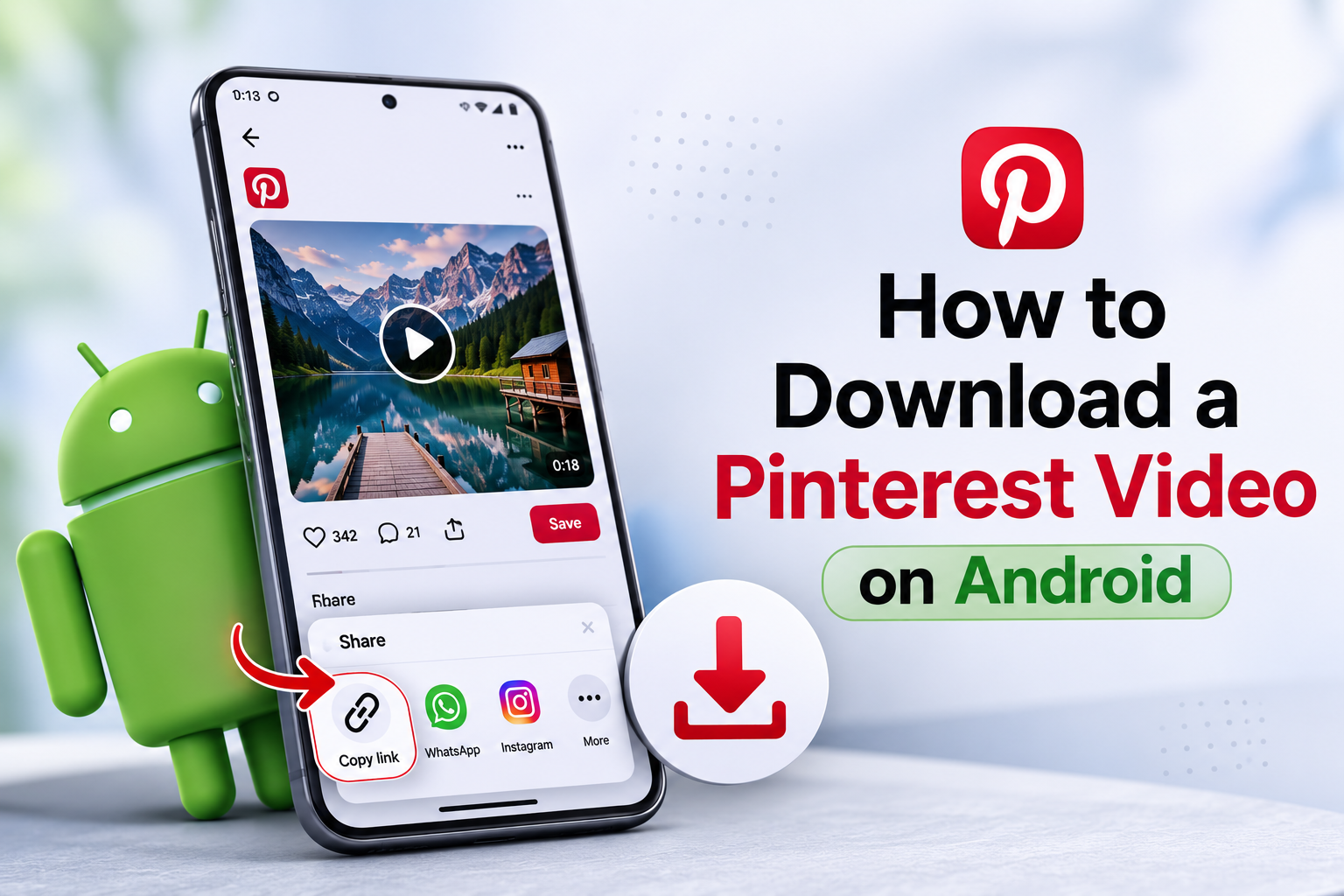
Android handles this well because the system file manager accepts downloads from any browser. You do not need an app.
- Copy the pin link in the app. Open the video, tap the share icon and choose Copy link. Leave the Pinterest app open in case you need the link again.
- Open your browser. Chrome, Samsung Internet, Firefox and Brave all work. Go to the downloader page you want to use.
- Paste the link. Press and hold the input field until Paste appears, then tap it. Tap the download or search button next to the field.
- Pick the quality. The tool lists the versions it found. Choose the highest resolution unless you plan to send the file by message and need a smaller size.
- Save the file. Tap Download and confirm if Android asks for permission. The file lands in the Downloads folder and most phones also show it in the Movies section of the Gallery.
If the video does not appear in your Gallery straight away, open the Files app and check the Downloads folder. Some phones need a moment before the media scanner picks up a new video.
How to Download a Pinterest Video on iPhone or iPad
iPhone adds one extra step because Safari sends downloads to the Files app rather than to Photos. The download itself works the same way.
- Copy the pin link. Open the video in the Pinterest app, tap the share icon and choose Copy link.
- Open Safari or Chrome. Go to the downloader page. Safari works without any setup and keeps the file in a folder you can find later.
- Paste and search. Tap the field, hold until Paste appears and tap the button that starts the search.
- Tap Download and confirm. Safari asks whether you want to download the file. Tap Download to accept. The blue arrow near the address bar shows the progress.
- Move the video into Photos. Open the Files app, go to Downloads on My iPhone, tap and hold the video and choose Save to Photos. The video then plays like any other clip in your camera roll.
Older iPhones sometimes open the video in a new tab instead of downloading it. When that happens, tap and hold the video, then choose Download Linked File.
How to Download a Pinterest Video on a Computer
Desktop gives you the fastest route because the address bar already holds the link you need.
- Open the pin in your browser. Click the video in your feed so the pin opens on its own page. The address in the bar now points to that single pin.
- Copy the address. Click into the address bar, select the whole address and copy it.
- Paste it into the downloader. Open the downloader in a second tab, paste the link and start the search.
- Download the file. Click the quality you want. The video saves to your Downloads folder unless you change that setting in your browser.
Windows, macOS, Linux and ChromeOS all behave the same way here. The browser does the work, so the operating system makes no difference.
How to Save Your Own Pinterest Videos
Creators often need their own clips back. Maybe you changed phones, cleared your storage or deleted the original export by mistake.
Your published pin still holds a copy of the file. Open the pin, copy its link and run it through a downloader exactly as you would with anyone else's video. You own the content, so nothing about the process raises a right question.
Keep two habits and you will rarely need this route. Save your original export to cloud storage before you upload it and give the file a clear name that includes the date. A pin download returns the version Pinterest processed, which sits slightly below your master file in quality.
Multi-Page Pins, GIFs and Silent Videos
Not every moving pin is a standard video and the differences change what you get back.
- Multi-page pins. Pinterest merged its story format into the standard pin format, so one pin can now hold several pages. A downloader usually returns the page that contains the video rather than the whole sequence.
- Animated pins. Some looping pins are true GIF files and others are short videos. A video downloader returns an MP4 and a GIF tool keeps the animation in its original format.
- Silent videos. Plenty of Pinterest videos carry no audio track at all. The download is not broken. The creator simply uploaded the clip without sound.
- Promoted pins. Ads behave like normal pins in most cases, though some campaigns restrict where the video plays.
Which Download Method Fits Your Situation
Four methods exist. Each one suits a different habit and the right choice depends on how often you download.
| Method | Setup | Works on phones | Best for |
|---|---|---|---|
| Browser downloader | None | Yes | Almost everyone, on any device |
| Browser extension | Install and grant permissions | No | People who save many pins on one computer |
| Mobile app | Install from a store | Yes | Heavy daily use on a single phone |
| Screen recording | Built into the phone | Yes | Last resort when nothing else reaches the file |
Screen recording deserves a warning. It re-encodes the video, captures the Pinterest interface around it and often picks up notification sounds. Use it only when the other methods fail.
What Quality and File Format You Get
Pinterest delivers videos as MP4 files. That format plays on every phone, every computer and every editing program without conversion, which is why downloaders offer it by default.
The resolution depends on the creator. Pinterest recommends 1080 by 1920 pixels for vertical video and many pins arrive at that size. A pin uploaded at 720p stays at 720p forever, so treat any promise of an upgrade with suspicion. Upscaling adds file size without adding detail.
Most clips run from a few seconds to a couple of minutes and produce files between 2 MB and 30 MB. A download that comes back far smaller than expected and looks soft usually means the tool compressed it. Try a different tool and compare the two files.
Fix the Most Common Download Errors
Downloads fail for a short list of reasons. Work through this table before you blame the tool.
| What you see | What it usually means | How to fix it |
|---|---|---|
| Invalid link | You copied a board or profile address | Open the single pin, then copy the link again |
| Video not found | The pin was deleted or the account was removed | Open the link in Pinterest to confirm the pin still exists |
| Private content | The pin sits on a secret board or a private profile | Ask the owner to share it publicly or send you the file |
| Only an image appears | The pin is a photo or a multi-page pin | Use an image tool or open the page that holds the video |
| Nothing happens after you tap download | Your browser blocked the file | Allow downloads for the site or try a private window |
| The page keeps loading | A weak connection or a temporary server problem | Switch between mobile data and Wi-Fi, then retry |
| Region message | The video is limited to certain countries | Nothing reliable, the restriction sits on Pinterest side |
One more check helps when a single pin refuses to cooperate. Try a different pin. If the second one downloads, the problem belongs to that first pin rather than to your setup.
How to Tell a Safe Downloader From a Risky One
Downloading a public video carries little risk on its own. The sites built around the task vary a lot, so spend ten seconds on these checks before you paste anything.
- No login, ever. A public pin needs no password. Close any site that asks you to sign in to Pinterest or Google.
- The address starts with HTTPS. Check the domain spelling too, since copycat sites rely on small typos.
- The result is a video file. A download that arrives as
.exe,.apkor.zipis not your video. - No fake alerts. Warnings about viruses on your phone or a missing player are advertising tricks.
- No payment for a basic download. Saving a single public video should cost nothing.
- Limited permissions. An extension that wants to read data on every site you visit asks for far more than a downloader needs.
Fail any one of these checks and close the tab. Plenty of working alternatives exist, so no single site is worth the risk.
What You May Do With the File Afterwards
Personal use raises no real questions. You can keep a recipe video for the kitchen, save a workout to follow offline or store a tutorial you want to rewatch on a flight.
Public reuse works differently, because the creator still owns the video after you download it. The U.S. Copyright Office explains the limits of fair use and confirms that no fixed percentage of a work is automatically safe to reuse.
Ask permission before you repost a clip, credit the creator when you share it and avoid commercial use of work you did not make. Rules also vary by country, so treat any single source as a starting point rather than legal advice.
Brand accounts carry the same responsibility as personal ones. A clip that sits in a client deck or a paid ad needs clearance in a way that a saved recipe never does.
The same care applies to still images. When you need the photo behind a pin at full resolution rather than a screenshot, the image downloader returns the original file.
One note on transparency. PinVideo builds one of the tools described in this guide, so we kept every step generic. The method works the same with any downloader that passes the safety checks above.