Which Is the Best Pinterest Video Downloader?
Search for a way to save a Pinterest video and you will find dozens of tools that all promise the same thing. Most of them work in some way but they are not equal: some compress the file, some add a watermark, some ask you to install software and a few ask for a Pinterest login they have no reason to need. Knowing what separates a reliable tool from a risky one saves you a lot of wasted time. That is exactly what PinVideo was built for and this guide explains how the main options compare.
Below you will find the criteria that actually matter, a step-by-step method that works on both phones and computers, an honest comparison of downloader types and answers to the problems people run into most often. If you already know what you need, the Pinterest video downloader handles the process in a few seconds without an account.
Quick answer
For most people, a browser-based downloader that works from a copied pin link is the best option. It requires no installation, works the same on Android, iPhone, Windows, Mac and saves the video as a standard MP4 file. Browser extensions and mobile apps only make sense if you download pins constantly and screen recording should be your last resort because it lowers quality.
What Makes a Pinterest Video Downloader Worth Using
Almost every downloader can pull a file from a public pin. The difference shows up in what happens around that download: how much of your data the tool asks for, what quality it returns and how many ads or redirects stand between you and the file.
When you are comparing options, these are the points that separate a tool you can trust from one you should close immediately:
- No login required. A public pin does not need your Pinterest password. Any tool asking for account credentials is a red flag.
- Works from a pin link. Copying a URL is the fastest, most reliable method and it works identically on every device.
- Original quality preserved. A good tool returns the file at the resolution the creator uploaded instead of re-encoding it smaller.
- No watermark added. Some downloaders stamp their own logo onto the video, which makes the file useless for most purposes.
- Nothing to install. Browser tools avoid the permissions and update problems that come with apps and extensions.
- Clean interface. Fake download buttons, forced redirects and pop-ups usually mean the site earns more from ads than from working properly.
- Mobile support that actually works. The tool should handle a phone browser without breaking the layout or the save step.
If a downloader meets those seven points, it will handle almost anything you throw at it. If it fails two or three of them, there is no reason to keep using it when better options are free.
How to Download a Pinterest Video

The process is the same whether you are using the Pinterest app, a mobile browser, or a desktop computer. You copy the link to the pin, paste it into the downloader and save the file.
Open the pin you want to save.
Tap or click the video so it opens on its own page rather than staying in the feed grid. This makes sure the link you copy points to the individual pin.
Copy the pin link.
In the Pinterest app, tap the share icon and choose Copy link. In a browser, use the share button on the pin or copy the address directly from the address bar. The link should look like pinterest.com/pin/ followed by a long number.
Paste the link into the downloader.
Open the downloader page, tap the input field and paste. On mobile, press and hold the field until the paste option appears.
Start the search and pick a quality.
The tool reads the pin and shows the available versions. If more than one resolution is offered, choose the highest one unless you specifically need a smaller file.
Save the file to your device.
On a computer the video goes to your Downloads folder. On Android it usually lands in Downloads or Movies and on iPhone you can save it to Files or move it into Photos afterwards.
The whole sequence takes under a minute once you have done it once. If you save pins regularly, adding the downloader to your home screen or bookmarks bar removes a couple of taps each time.
Downloader Types Compared
There are four realistic ways to get a Pinterest video onto your device. Each has a situation where it makes sense and each has a clear weakness.
| Method | Best for | Install needed | Quality | Main drawback |
|---|---|---|---|---|
| Browser-based downloader | Everyday use on any device | No | Original file | Needs an internet connection |
| Browser extension | Frequent desktop downloading | Yes | Original file | Broad browser permissions; desktop only |
| Mobile app | Heavy use on one phone | Yes | Varies by app | Ads, storage use, and frequent breakage |
| Screen recording | Content you cannot access another way | Built in | Reduced | Captures interface elements and drops quality |
Why browser tools win for most people
A browser-based downloader has one job and does not need access to anything else on your device. There is nothing to update, nothing running in the background and no difference in behaviour between your laptop and your phone.
Extensions and apps are worth considering only if you download many pins every day and the time saved genuinely adds up. Even then, check what permissions they request before installing, because a video downloader has no reason to read data on every website you visit.
Video Quality, Formats and File Size
Pinterest videos are delivered as MP4 files, which play on essentially every phone, computer and editing program without conversion. That is why almost every downloader offers MP4 rather than a long list of formats.
The resolution you get depends entirely on what the creator uploaded. If the original pin was published at 720p, no downloader can give you a 1080p version, a tool advertising an upgrade like that is simply upscaling the file and adding size without adding detail.
Most Pinterest videos are vertical, commonly around 1080 × 1920 and run between fifteen seconds and a few minutes. That usually produces files between 2 MB and 30 MB. If a download comes back noticeably smaller than expected and looks blurry, the tool compressed it and it is worth trying a different one.
Safety Checks Before You Use Any Tool
Downloading a public video is a low-risk activity but the sites built around it are not all equally careful. A few quick checks tell you almost everything you need to know before you paste a link.
- The page loads over HTTPS and the address matches the site you intended to visit.
- You are never asked to sign in to Pinterest, Google, or any other account.
- The result is a video file, not an
.exe,.apk, or.zipdownload. - No pop-up claims your device is infected or that you need to install a "player" first.
- Any extension you consider asks for limited permissions and has recent, credible reviews.
If a site fails even one of these checks, close the tab. There are enough working alternatives that no single tool is worth the risk.
Why Downloads Fail and How to Fix Them
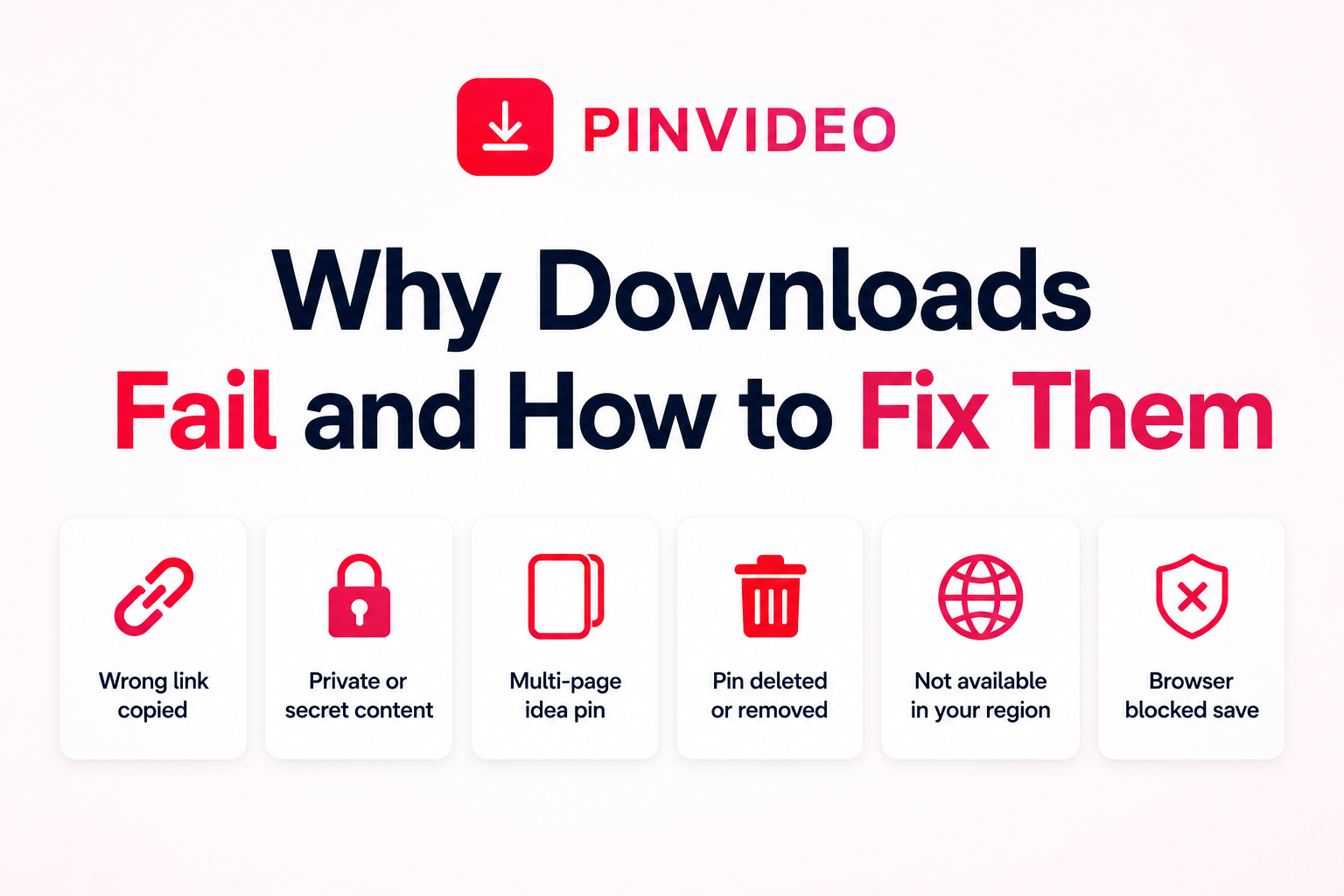
When a download does not work, the cause is usually the link rather than the tool. Running through these checks solves the majority of failures.
- You copied a board link instead of a pin link. Open the individual pin first, then copy. A pin link contains
/pin/followed by numbers. - The pin is on a secret board or a private profile. Downloaders can only read publicly visible content, so these links will always fail.
- The pin is an idea pin with several pages. Multi-page formats behave differently from standard video pins and may only return part of the content.
- The pin was deleted or the account was removed. If the link no longer opens in Pinterest itself, nothing can recover it.
- The video is not available in your region. Some content is limited by location and will not resolve.
- Your browser blocked the save. Check the download permission for the site or try once in a private window with extensions disabled.
Using Downloaded Pins the Right Way
Saving a video for personal reference, a recipe, a workout, a tutorial you want offline is straightforward. Republishing someone else's video as your own is a different matter, because the person who made it still owns it.
If you plan to share or reuse a clip publicly, credit the original creator and ask permission when the video is central to what you are posting. This applies just as much to brand accounts as to personal ones and it keeps you clear of both platform rules and copyright complaints. Pinterest copyright rules are the relevant place to check when you need more detail.
Video is not the only thing worth saving from a pin. When you need the still photo behind a pin at full resolution, the image downloader pulls it without the Pinterest interface cropped into the frame. For animated pins that loop instead of playing as video, the GIF downloader keeps the animation intact rather than flattening it into a single frame.
Between those three tools, almost any pin you come across can be saved in the format it was actually published in which is the real measure of a good downloader.
Frequently Asked Questions
Yes. Browser-based downloaders are free to use and do not require an account or a subscription. Be cautious with any tool that asks for payment details to unlock a basic download.
No. A browser tool handles the whole process on Android, iPhone, Windows and Mac. Apps and extensions are optional conveniences, not requirements.
A good downloader returns the file exactly as it was uploaded, with no added logo. If a watermark appears, it was either added by the downloader or was part of the creator's original video.
No. Downloaders can only access publicly visible pins. Private boards, secret boards and pins from private profiles will not work.
On Android, files usually land in the Downloads or Movies folder. On iPhone, they save into the Files app and you can move them into Photos from there.
Only with permission from the creator. Saving a video for personal use is fine but republishing someone else's work without credit or consent can breach copyright and platform rules.
The most common cause is copying a board or profile link rather than a pin link. Open the individual pin first and make sure the URL contains /pin/ followed by a number.